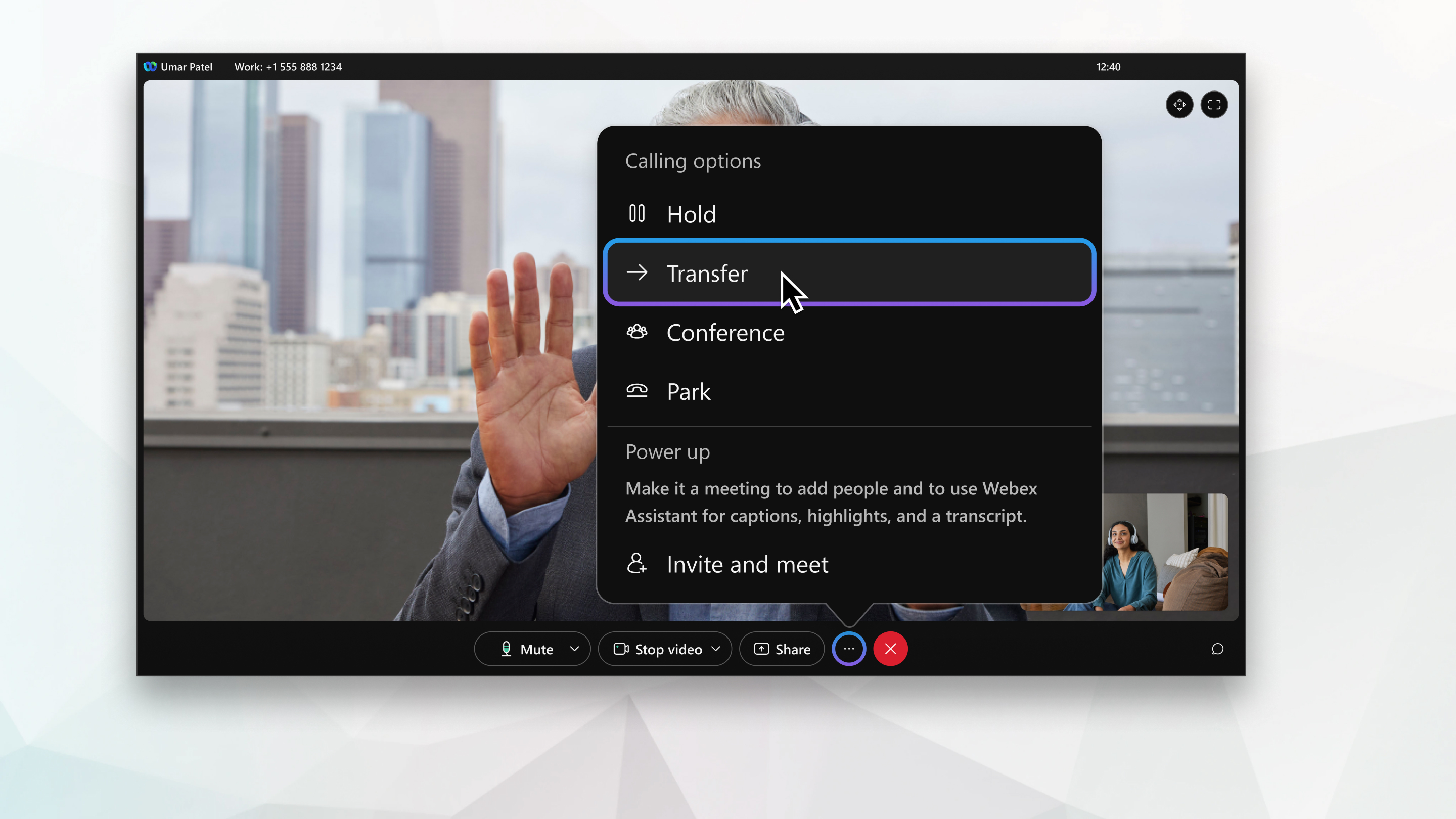
Webex App | Transfer a phone call
Overview
When you're on a phone call, you can transfer that call to someone else and if you'd like, let that person know why you're transferring the call to them.
Source: https://help.webex.com/en-us/article/5er4f3/Webex-App-%7C-Transfer-a-phone-call
Related Articles
Webex Calling | Supported calling options in Webex App
In Webex App, you're assigned a calling option that works best in your organization or for your individual needs. When you make a call from the app, your calling experience depends on your account settings. You can make a call from many different ...
Webex App | Supported calling options in Webex App
In Webex App, you're assigned a calling option that works best in your organization or for your individual needs. When you make a call from the app, your calling experience depends on your account settings. You can make a call from many different ...
Webex Calling | Forwarding Calls
Overview Forward your phone calls If you don’t want to miss important calls, forward them to another number and to stay uninterrupted, forward calls to voicemail. In User Hub, you can configure when and whom to forward calls. Before you begin Your ...
Webex Calling | Features available by license type for Webex Calling
Webex Calling licenses can be assigned to Users or Workspaces depending on the feature requirements. With Webex Calling, there are three license options available, Professional, Standard, and Workspace. Professional license (User): Built for ...
Webex Calling | Manage a shared voicemail and inbound fax box for Webex Calling
You can create a shared voicemail and inbound fax mailbox and assign to users or call routing features. The voicemail group feature allows you to set up message notifications, save messages, and customize the voicemail greeting. You might use a ...