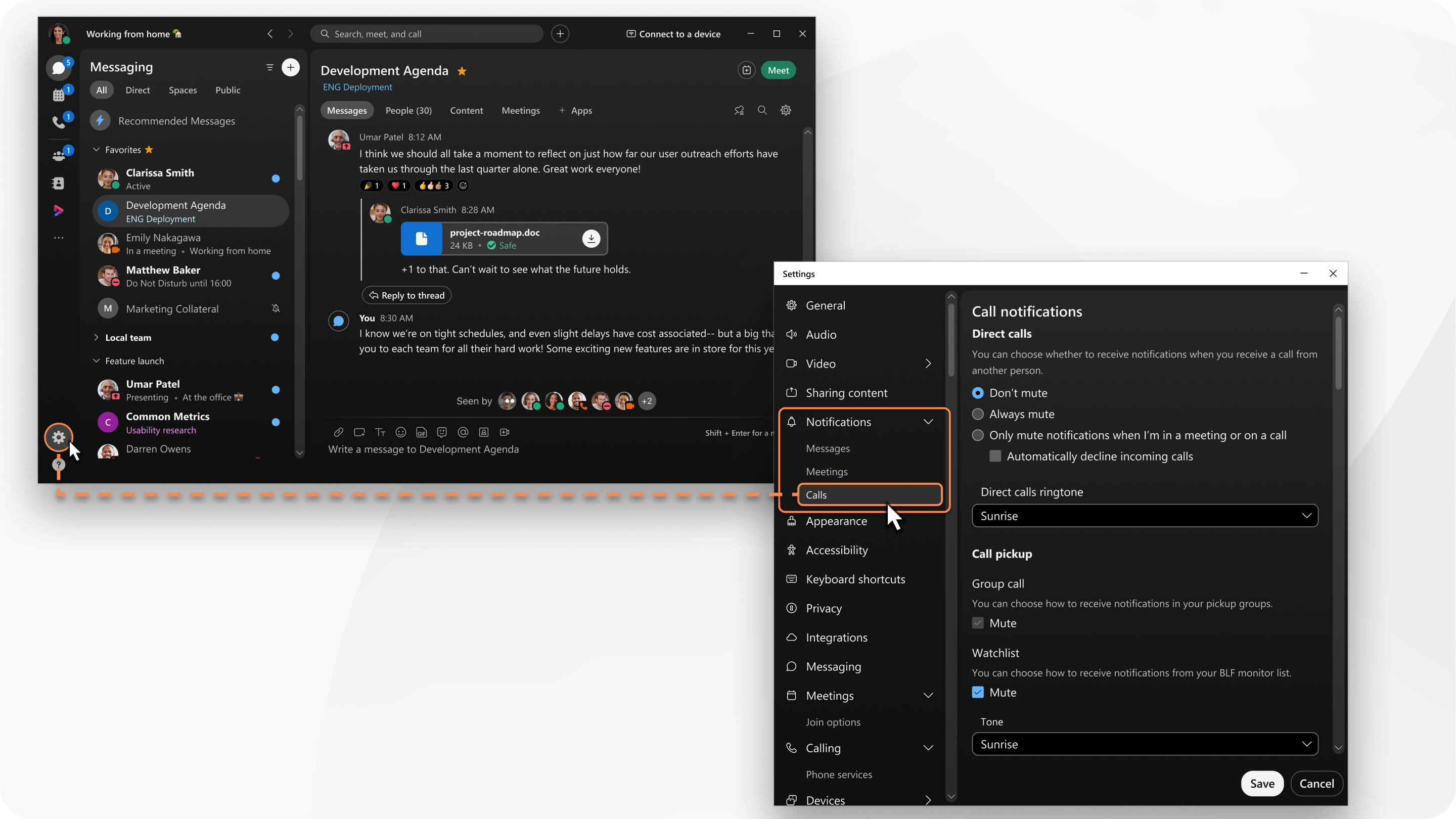
When you make changes they only apply to that device. For example, if you mute incoming call notifications on desktop, you'll continue to get notifications on mobile.
| 1 | Open Webex and sign in. |
| 2 | Click Settings |
| 3 | Under Direct Calls section, and choose one of the following options for notifications:
|
| 4 | Under Direct calls ringtone, choose from the available ringtones. |
| 5 | If you have been setup by your administrator, you will have a Call Pickup section. Under Call pickup, choose your notifications.
|
 on the navigation sidebar, and then go to